
Get a Real Moving Estimate in Miami – Before You Lock In a Mover
Scan your Miami apartment, condo, or house with AI, build a precise inventory, and see realistic moving estimates that already reflect elevators, parking, building rules, and your actual route.

moving estimate in Miami, FL
What a Real Moving Estimate Looks Like in Miami (Not Just a Rough Quote)
In Miami, a “moving estimate” should be more than a single number based on your ZIP code and bedroom count. Most quick quote forms only ask how many bedrooms you have and when you want to move. They don’t see your Brickell freight elevator, your South Beach street parking, or the storage closet on your balcony. That’s how you end up with a low initial quote and a higher final bill. A realistic Miami moving estimate normally includes: • A clear description of what you’re moving (furniture, boxes, balcony and garage items) • Notes about how movers can reach your home (stairs, elevators, loading docks, street or garage parking) • A breakdown of labor time and truck use, not just a lump sum • Callouts for potential extras that might apply in Miami (long carries, elevator waits, building fees) MoveCost focuses your estimate on the two things Miami movers care about most: 1. Exactly what you’re moving – built from an item‑level inventory using AI scanning or a guided checklist. 2. How movers get items in and out of your buildings – elevators, loading docks, parking distance, stairs, and HOA/condo rules. When you request a moving estimate for a Miami route through MoveCost, you enter your addresses, building type (Brickell high‑rise, older Little Havana walk‑up, townhouse in Doral, single‑family in Kendall), and access notes. Then you build your inventory via a quick AI home scan. The platform uses that data to generate estimate ranges and structured line items you can read and compare. You can then share the same inventory with multiple Miami movers to turn that estimate into formal quotes, without re‑explaining your move each time.
How AI Home Scanning Feeds Your Miami Moving Estimate
Miami rentals and homes rarely fit into a simple checklist. You might have: • A balcony full of outdoor furniture and plants in Edgewater • A storage cage under your Brickell building • A shared garage in Kendall with tools and sports gear • A small office carved out of a Downtown studio Traditional estimate calls tend to miss half of that. With MoveCost, the estimate starts from a scan instead of a guess. 1. Walk your space with your phone Start at your front door and move through every room, balcony, and storage area that’s moving. The AI detects common moving items—sofas, beds, dressers, TVs, desks, chairs, bikes, and box stacks—and turns them into an inventory list. 2. Tag Miami‑specific items and spaces • Balcony sets and planters on a Brickell or Midtown tower • Beach gear, boards, or scooters in Miami Beach • Bikes and art in a Wynwood loft • Patio furniture, grills, and storage shelves in Westchester, Kendall, or Doral 3. Review and fine‑tune your list You can mark: • Items as heavy or fragile (glass tables, mirrors, artwork) • Sectionals that come apart into multiple pieces • Items needing disassembly (beds, large shelving, some gym equipment) Because the estimate is driven by a scan of your actual Miami home, not just a checkbox like “2‑bedroom, elevator,” the time and cost ranges you see are grounded in what crews will really handle on move day.
Example Moving Estimates Built from Miami-Style Inventories
These anonymized scenarios show how inventory and logistics change moving estimates in Miami. They are illustrative only, not live quotes, but they mirror how MoveCost uses AI inventory to shape estimates. Scenario 1 – Short Local Move: Brickell High‑Rise to Midtown • From: 1‑bedroom condo in Brickell, 20th floor, freight elevator and loading dock • To: 1‑bedroom rental in Midtown, 8th floor, service elevator and garage parking • Inventory highlights: • Sectional sofa, TV console, 1 large TV • Queen bed, dresser, nightstands • Small desk/workstation • Balcony set with table, chairs, and plants • ~25 medium boxes, 3 wardrobe boxes • Access notes in the estimate: • Freight elevator reservation at both buildings • Loading docks with short walk to elevators • Garage height is fine for standard moving trucks • How the estimate might look in MoveCost: • Labor: 3 movers × 4–6 hours (load, drive, unload) • Truck/travel: local mileage + time to and from buildings • Access: freight elevator setup and hallway protection included in time estimate • Extras: optional packing labor and materials listed separately Scenario 2 – Walk‑Up to Elevator: Little Havana to Coral Gables • From: 2‑bedroom 3rd‑floor walk‑up near Little Havana, street parking only • To: 2‑bedroom apartment in Coral Gables, elevator and small loading area • Inventory highlights: • Standard living room set • Two bedrooms of furniture • Kitchen items and ~35–45 boxes • No major appliances • Access notes in the estimate: • Origin: 3 flights of stairs, narrow stairwell, street parking with a moderate walk • Destination: elevator from small ground‑floor lobby • How the estimate might look in MoveCost: • Labor: 3 movers × 5–7 hours, with stair time flagged at origin • Truck/travel: short local drive, some extra time budgeted for parking • Access: stair and long‑carry effort baked into the labor range • Extras: clear note that adding heavy items (like a safe or large piano) would change time Scenario 3 – Longer In‑State: Kendall House to Orlando Suburb • From: 3‑bedroom single‑family house in Kendall, driveway parking • To: 3‑bedroom home just outside Orlando, driveway parking • Inventory highlights: • Living and dining room sets • 3 bedrooms of furniture • Garage tools and storage shelves • Patio furniture and grill • 60–80 boxes • Access notes in the estimate: • Driveway access at both addresses • No elevators or long interior hallways • Short walks from door to truck • How the estimate might look in MoveCost: • Volume/weight: estimated from the AI scan • Transport: distance-based pricing Miami→Orlando corridor • Labor: load + unload time based on inventory and easy access • Delivery: typical in‑state delivery window outlined (for example, 1–3 business days) When you complete your own AI scan, MoveCost doesn’t generate a single number out of thin air. It builds estimates around room-by-room inventory and Miami‑specific logistics, so you can see which parts of your move are likely to drive time and cost.
How Miami Moving Estimates Break Down: Line Items to Look For
A Miami moving estimate is easier to trust when you can see how it’s built. Based on your inventory and access notes, MoveCost helps movers structure estimates into familiar pieces. Typical line items you may see: • Labor time – Estimated hours for loading, driving, and unloading based on your AI inventory and building access (e.g., “3 movers × 5–7 hours”). • Truck & travel – Time and/or cost for getting the truck to and from your origin and destination, plus local or in‑state mileage. • Access adjustments – Notes for stairs, elevator waits, long carries from truck to unit, or special loading dock procedures. • Packing & materials (optional) – If you request them, you may see: • Packing labor for certain rooms (kitchen, fragile items) • Boxes, tape, shrink wrap, and protective materials • Wardrobe box or mattress bag usage • Special handling – Callouts for items that need extra care, such as large mirrors, glass tables, artwork, instruments, or some gym equipment. • Storage, if needed – For moves where you can’t move straight into your new place, some movers may layer in short‑term storage estimates. On MoveCost, these line items are tied back to the same AI-generated inventory, so you can: • Spot where two estimates differ because one mover expects more hours for a Brickell freight elevator or Little Havana stairwell • See when a low estimate might just be missing a service you actually need (like basic furniture protection or long carries) • Ask informed questions like, “How much time did you budget for the elevator and loading dock at my Edgewater building?”
Why Elevators, Parking, and Building Rules Change Your Miami Moving Estimate
Miami’s buildings can be strict about moves, and ignoring those details is one of the fastest ways for an early estimate to drift away from the final bill. When you request a moving estimate through MoveCost for a Miami address, you can describe: • Elevator type: Passenger only, freight/service elevator, or no elevator • Required reservations: Whether your building needs advance booking for the elevator or a loading dock • Move hours: If moves are limited to weekdays, certain time windows, or only through specific entrances • Parking setup: Street parking, parking garage, loading zone, or driveway • Carry distance: Short roll from dock to unit vs. long interior corridors These fields matter because they influence: • How many movers need to be on the crew • How long the crew is likely to be on‑site • Whether specialized equipment (carts, dollies, extra padding) is helpful • How many trips are required between the truck and your unit For example: • A 1‑bedroom in Downtown Miami with a reserved freight elevator and loading dock might be faster to move than a 1‑bedroom walk‑up in Little Havana with only street parking and two flights of stairs. • A Miami Beach condo that requires movers to use a specific service entrance on one side of the building can add a long walk for every item. MoveCost’s estimate flow is built to surface these specifics so that when movers send you an estimate, they’re basing it on more than just square footage and a ZIP code.
Virtual Moving Estimates in Miami: When You Don’t Want an In‑Home Visit
Coordinating on‑site estimate visits in Miami can be hard when: • You commute across I‑95 or the Palmetto and aren’t home during the day • Your Brickell or Edgewater building limits visitor parking • You share your place and don’t want multiple sales people walking through MoveCost is designed so you can get virtual, inventory‑based estimates without in‑person visits. How Miami virtual estimates typically work on the platform: 1. You complete the AI scan or manual inventory Every room, balcony, and storage area is captured as items and boxes. 2. You add optional photos or short clips These can show: • A tight stairwell in an older Coral Gables or Little Havana building • A long hallway from the service elevator to your unit in a Miami Beach or Downtown tower • Typical truck parking spots near your Wynwood, Midtown, or North Miami address 3. Movers review everything remotely They look at your inventory, distance, and access notes, then build estimates that reflect crew size and likely time on‑site. Because Miami weather and traffic can be unpredictable, the estimate assumes normal conditions for your booking window. If a major storm changes your schedule later, you and your mover can adjust timing—without restarting the entire estimate process from zero.
Use Your Miami Moving Estimate to Plan, Then Turn It into Firm Quotes
A detailed inventory is useful before, during, and after you lock in a moving estimate in Miami. Before you book a mover • Tweak your inventory as you sell, donate, or store items and see how your estimate ranges shift. • Test different dates or time windows to understand how Miami traffic and elevator rules affect the estimate. • Decide whether you want packing help for specific rooms (like the kitchen) and see how that changes the numbers. When you’re ready to get firm quotes • Share your AI inventory and access notes with multiple Miami movers through MoveCost. • Compare how each mover converts your estimate into a formal quote (hourly vs flat, included vs optional services). • Ask clarifying questions using the same line items you saw in your estimate—labor time, truck/travel, access, and extras. On and after move day • Use the inventory as a checklist so you know what should arrive at your new place in Doral, Kendall, Aventura, or beyond. • Keep your original estimate handy to understand why extra time or services were needed if anything changes last minute (for example, an elevator outage or unexpected parking restrictions). Because your moving estimate on MoveCost is tied to that same inventory, everyone—you and all the movers you talk to—is working from one consistent version of your Miami move, not a different guess on every call.
How It Works
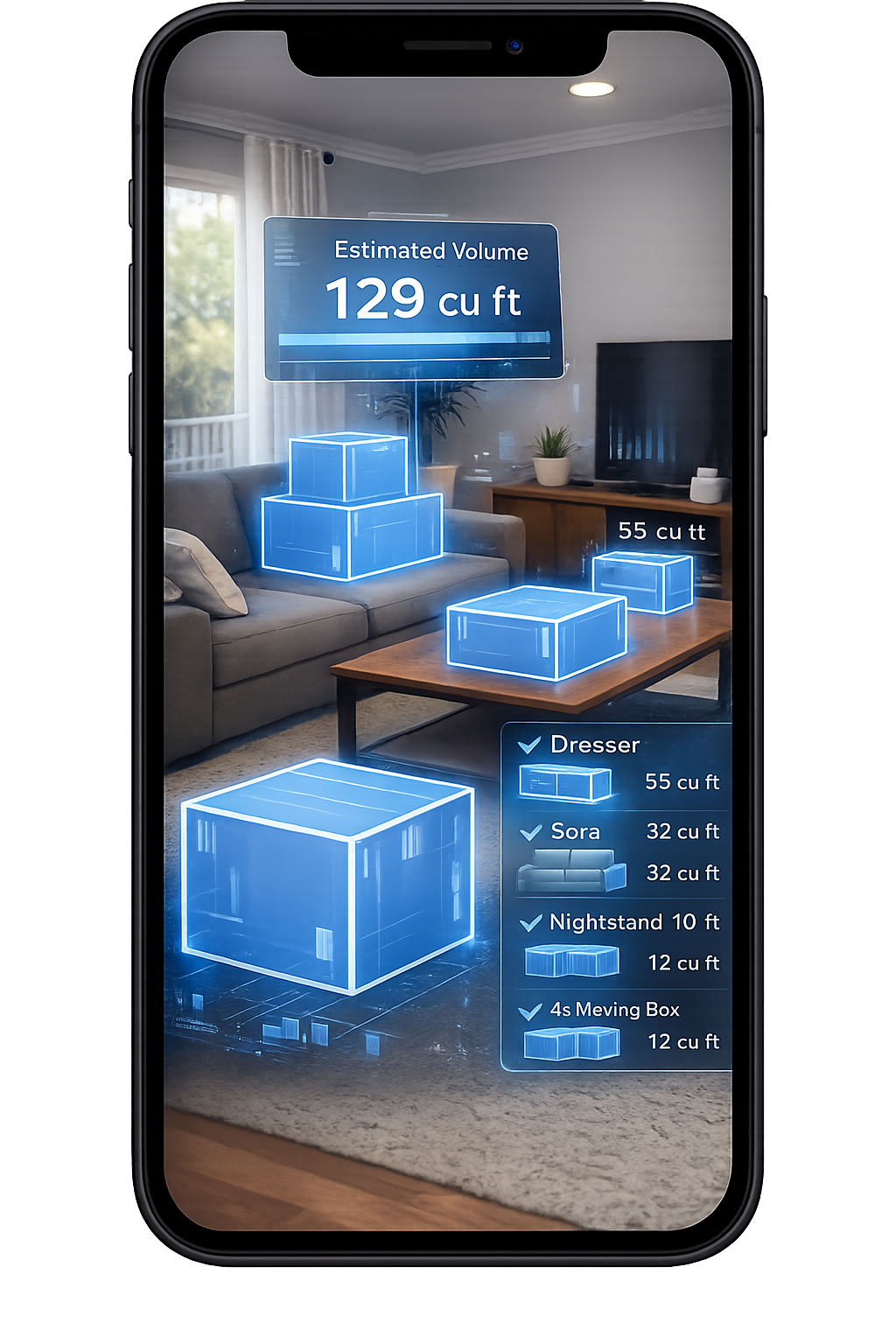
1. Scan Your Room With Your Phone
Walk around your space and scan your items in seconds.
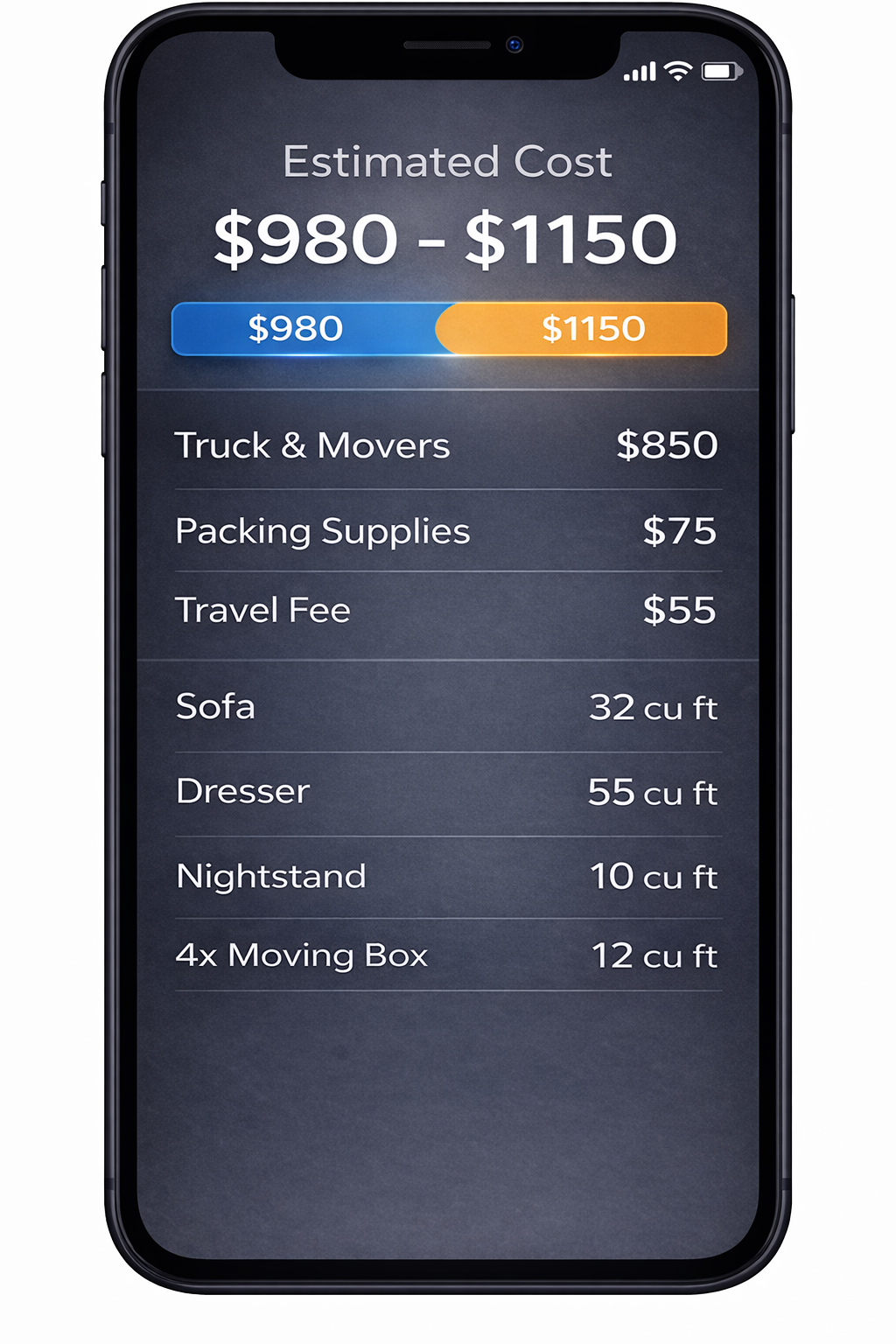
2. AI Detects Your Items
We identify your items and calculate volume for a clearer estimate.
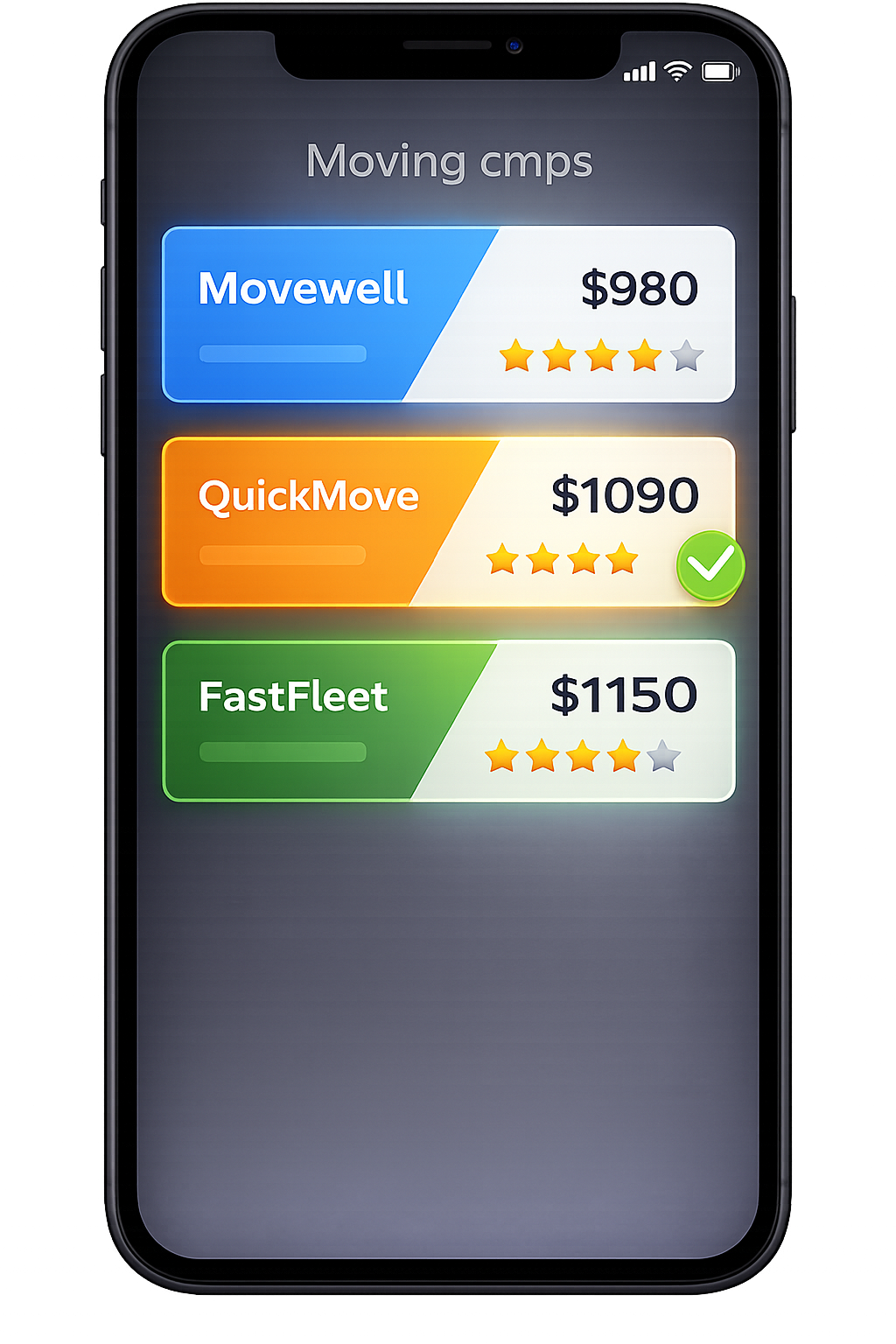
3. Compare Multiple Quotes
Compare mover quotes for Miami, FL from the same scanned inventory.
Frequently Asked Questions
How is a moving estimate in Miami different from a quick moving quote?
A quote is often just a price—sometimes based on a few questions or a short form. A moving estimate in Miami should show how that price was calculated, including labor hours, truck/travel time, building access, and optional services. On MoveCost, your Miami estimate is built from an AI inventory and access notes. You’ll typically see: A time range for the crew (for example, 3 movers × 5–7 hours) Notes about elevators, stairs, and parking that affect time Optional line items for packing, special handling, or storage You can then ask movers to convert that structured estimate into formal quotes without restarting the information‑gathering process.
How does MoveCost’s AI scan make my Miami moving estimate more accurate?
In Miami, estimates swing up or down based on how much you really own and how hard it is to get items in and out of your buildings. MoveCost’s AI scan walks through your home with you and turns what it sees—furniture, boxes, balcony sets, bikes, garage storage—into an itemized inventory. Movers then use that list, plus your notes on elevators, stairs, loading docks, and parking, to size the crew, truck, and time window more realistically. That doesn’t guarantee an exact final bill, but it reduces the gap between what you were told and what the move actually requires.
What Miami‑specific details should I share to get a better estimate?
Along with your AI inventory or checklist, you’ll get the best Miami estimates if you share: Whether your building has a freight or service elevator and if you must reserve it Allowed move‑in/move‑out hours in your condo or HOA Where trucks can realistically park (street, garage, alley, loading dock, driveway) Rough walking distance from parking or dock to your front door Number of stair flights at each address Any known hurricane‑season or weather rules for your building These details help movers estimate time and plan crews, which makes your estimate more meaningful than a generic range.
Can I use one inventory to get both local Miami and long‑distance estimates?
Yes. The same AI‑generated inventory can power local estimates (for example, Brickell to Midtown or Coral Gables to Coconut Grove) and long‑distance ones (Miami to Orlando, Atlanta, New York, Dallas, etc.). For local moves, your estimate leans more heavily on labor hours and access. For longer routes, it adds distance and typical delivery windows. MoveCost keeps your inventory in one place so you can test multiple scenarios without rescanning every time you change your mind about where you’re moving.
How far in advance should I request a moving estimate for a Miami condo or high‑rise?
If you’re in a Miami condo or high‑rise that requires freight‑elevator reservations and move forms (common in Brickell, Downtown, Edgewater, Midtown, and many waterfront buildings), it’s smart to: Start collecting estimates a few weeks before your ideal date Confirm your building’s allowed days and time slots Use MoveCost to test multiple possible dates and windows That gives you time to align your elevator reservation, your mover’s crew schedule, and your own work or travel plans. You can still request late‑notice estimates, but you’ll often see fewer good time slots and potentially tighter windows for crews and elevators.
What happens if my inventory changes after I get a Miami moving estimate?
Life changes between the day you get an estimate and the day you move. If you sell furniture, donate items, or discover extra boxes in a storage unit, you can: 1. Log back into MoveCost and update your AI inventory or checklist 2. Flag removed items (for example, a sofa you sold) or added items (for example, balcony furniture you forgot) 3. Ask movers to refresh their estimates based on the new inventory Updating early is better than waiting. If movers see significant last‑minute additions on move day—like an extra room’s worth of items or a full storage locker—they may need to adjust crew time or truck space, which can change your final cost.
Can I still talk to movers directly after using MoveCost for my estimate?
Yes. MoveCost is designed to reduce how many times you repeat your story, not to block you from talking to movers. Most people use MoveCost to: Build an AI‑backed inventory and see realistic estimate ranges Compare how different movers structure their estimates and quotes Narrow to a shortlist of companies that fit their budget and timing After that, you can speak directly with one or two movers to confirm details, ask about specific building rules, and finalize your booking—using the same inventory and line items you already saw in your MoveCost estimate.
Which MoveCost tools should I use after I understand my Miami moving estimate?
Once you’re comfortable reading your Miami estimate, you can: Use the AI Moving Cost Calculator Online Free as your main hub to explore other cities and states with the same inventory Open the Moving Cost in Miami, FL page to see how your estimate compares with typical local and long‑distance ranges in the metro Visit Moving Quotes in Miami, FL to focus on collecting and comparing formal quotes based on your estimate Use Local Movers in Miami, FL if you’ve decided your move will stay inside the metro Use Long Distance Movers From Miami, FL if you’re planning a state‑to‑state or cross‑country route All of these tools reuse your AI inventory and access notes, so your estimates stay consistent as you move from planning to booking.