
How the AI Home Scan Turns Your Rooms into Real Moving Cost Estimates
Walk through your home once with your phone, let MoveCost.ai’s computer vision turn what it sees into a private moving inventory, and reuse that inventory across our calculators, no‑call quote tools, and comparison pages.

How MoveCost.ai’s AI Home Scan Works – Private, Accurate Moving Cost Estimates & Features Hub
From Phone Camera to Moving Inventory: What the AI Actually Does
MoveCost.ai uses computer vision tuned for homes and moving—not generic video analysis—to turn a short walkthrough into data movers can price. You don’t have to understand AI to use it, but it helps to know what’s happening with your scan. At a high level, the MoveCost.ai scan does four things: 1. Captures visual context from each room 2. Detects and categorizes furniture and key items 3. Estimates volume and handling effort 4. Structures that into a clean list calculators and movers can read Here’s how that looks step by step:
Scanning Captures What Forms and Memory Miss
You don’t have to remember every chair, shelf, or box count. The AI scan is built to notice what typically drives moving cost. Traditional moving forms ask you to: • Count boxes you haven’t packed yet • Describe furniture sizes without a tape measure • Remember garage, attic, and balcony items off the top of your head That’s hard enough if you move often. For most people, it’s a recipe for underestimating. The AI scan flips that around: instead of guessing what you own, you show it once. Less stress up front More realistic estimates Fewer surprises on moving day
What Your Scan Sees, Stores, and Shares (and What It Doesn’t)
MoveCost.ai is designed to work with item shapes and layouts—not to profile who you are. A natural question is: what exactly happens to my video and data when I scan my home? The short answer: • The scan is used to create a moving inventory and volume estimate. • Movers and tools work with that structured list, not the raw video. • You control which tools and which movers can access your inventory. More detail: Inventory, not surveillance Scoped sharing Adjustable over time
How Accurate Is the Scan, and What Happens If It Misses Something?
AI gets you close quickly; your review and small edits close the gap. No moving estimate—AI or manual—can predict every detail. The goal of the scan is to dramatically reduce guesswork and make any remaining adjustments easy and visible. Typical behavior we see on real moves: Review pass built in Easy to rescan or top up Estimates that improve with detail
Where Your Inventory Goes Inside MoveCost.ai
The same AI-built list powers calculators, quotes, comparison pages, and city/route guides. Once you’ve scanned and approved your inventory, you don’t have to repeat that work across the site. MoveCost.ai is wired so that one source of truth feeds all major tools. Here’s how your inventory is reused: AI Moving Cost Calculator hub Local & regional calculators State-to-state & by-city tools Home-size & access tools No-call quotes & comparison hubs Cheapest-state & city clusters
Quick Prep So Your AI Home Scan Stays Accurate and Comfortable
A tiny bit of setup makes the scan smoother, clearer, and more representative of how movers will see your home. You don’t need a staged house or professional video skills. These small steps make it easier for the AI to see what matters and for you to feel good about what’s being captured. Open curtains or blinds and turn on lights so rooms are reasonably well lit. Clear simple walking paths so you can move safely between major pieces of furniture. Open doors to any room, closet, storage space, balcony, or garage area that will be part of your move. Group loose items into open boxes or containers where possible so your total volume is more obvious. Decide what is not moving (items for sale, donation, or staying with the home) and avoid scanning or clearly exclude them when reviewing your inventory. Have a rough idea of your move‑from and move‑to locations so calculators can layer distance onto your inventory later. Make a mental list of any unusual or fragile items (for example, a piano, large aquarium, heavy safe, or specialty equipment) to double‑check in the final inventory.
From Curiosity to Clarity in One Session
Understand the scan, build your inventory, then use any MoveCost.ai tool with confidence. This feature hub exists so you don’t have to wonder what’s happening when you tap “Start Scan.” Once you’re comfortable with how MoveCost.ai works: 1. Run your first scan and build an inventory you recognize. 2. Use the AI Moving Cost Calculator hub to see a baseline cost range. 3. Layer on other views: local, interstate, home‑size, stairs/elevator, cheapest‑state, or city‑specific. 4. Decide when to request quotes and how you want movers to contact you (including no‑call options). Every time you revisit a calculator or quote page, you’re not starting over—you’re just looking at the same AI inventory from a different angle. When you’re ready, you can head back to the AI hub to start scanning, or jump straight into no‑call quotes or comparison flows knowing exactly what they’re built on.
How It Works
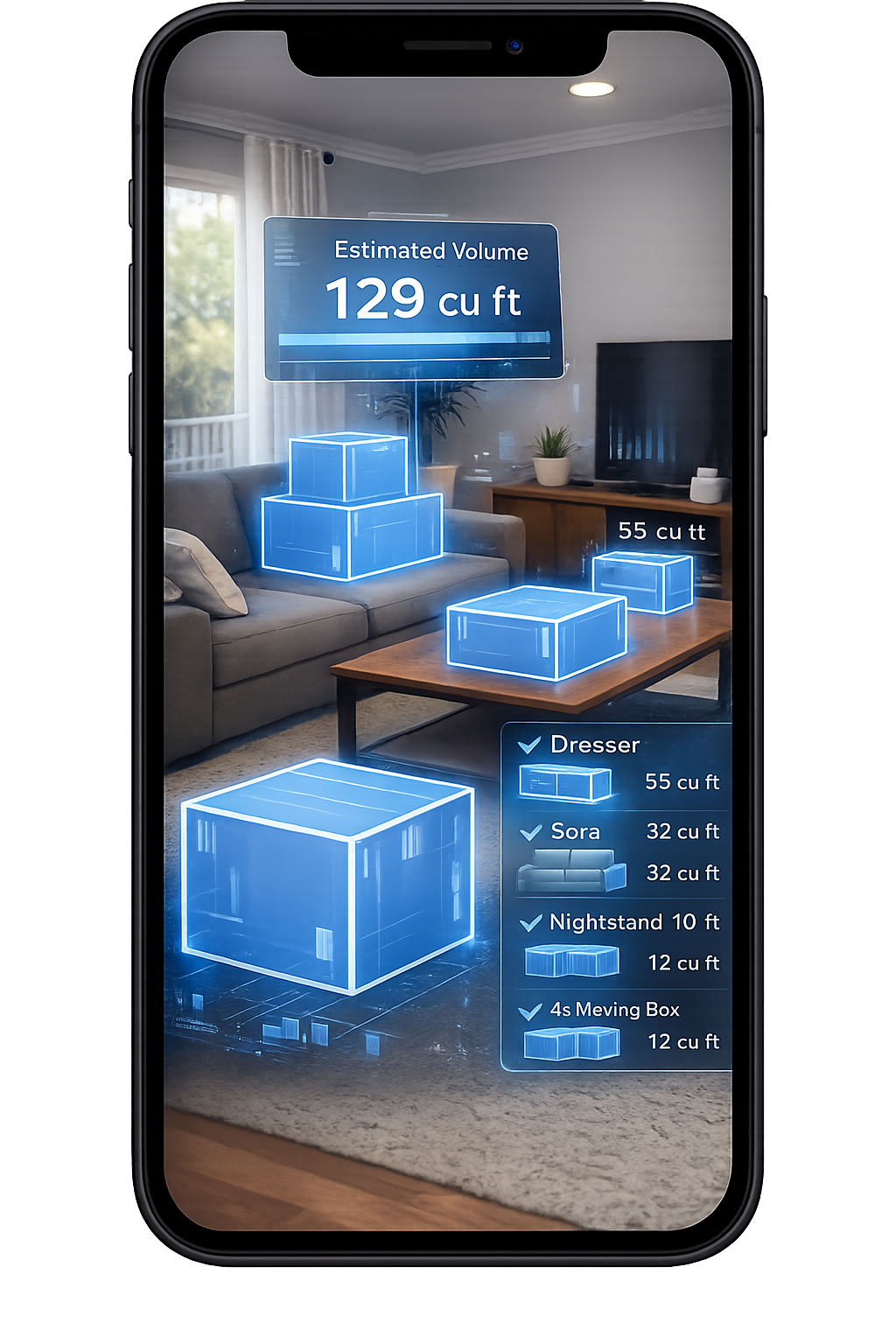
1. Scan Your Room With Your Phone
Walk around your space and scan your items in seconds.
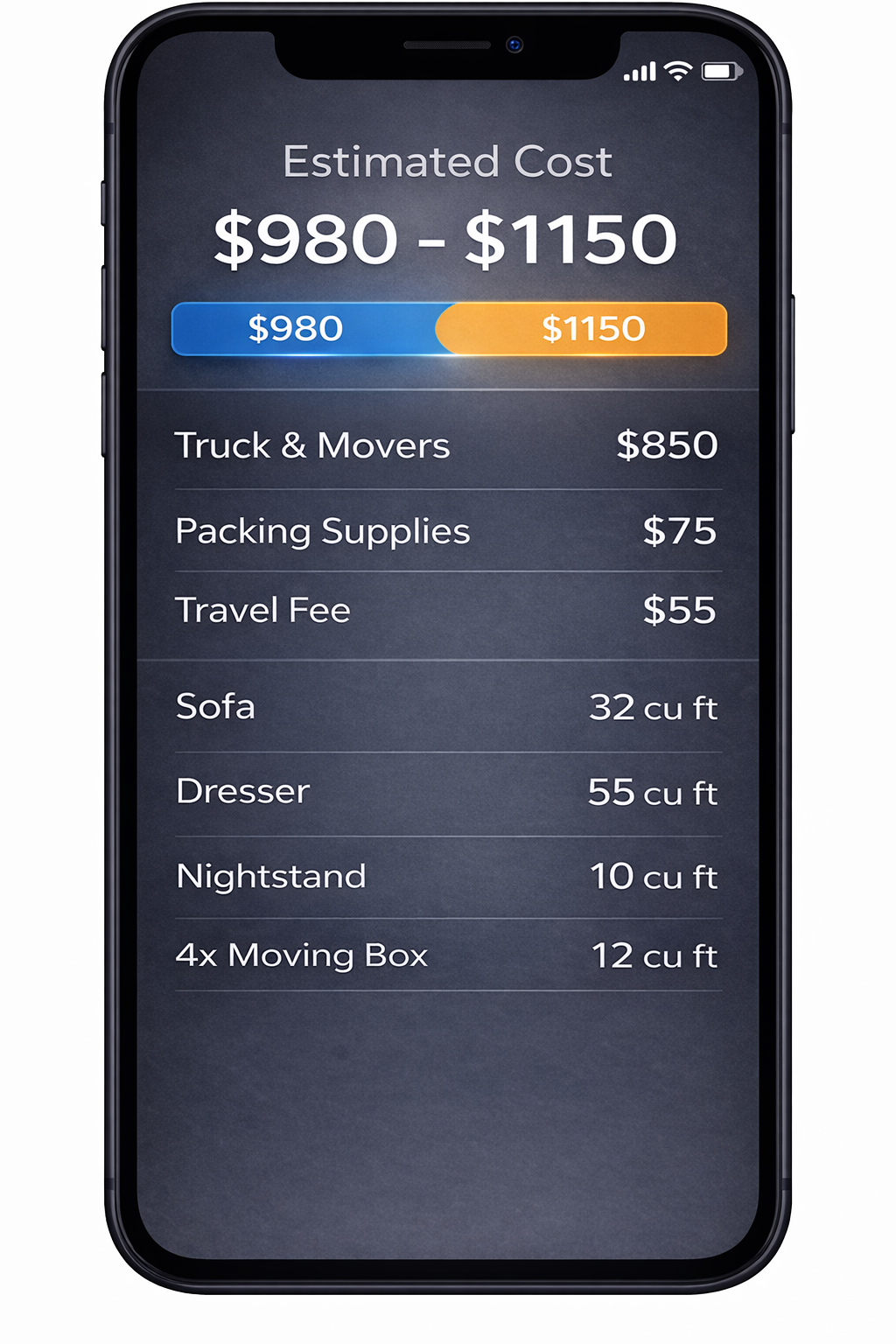
2. AI Detects Your Items
We identify your items and calculate volume for a clearer estimate.
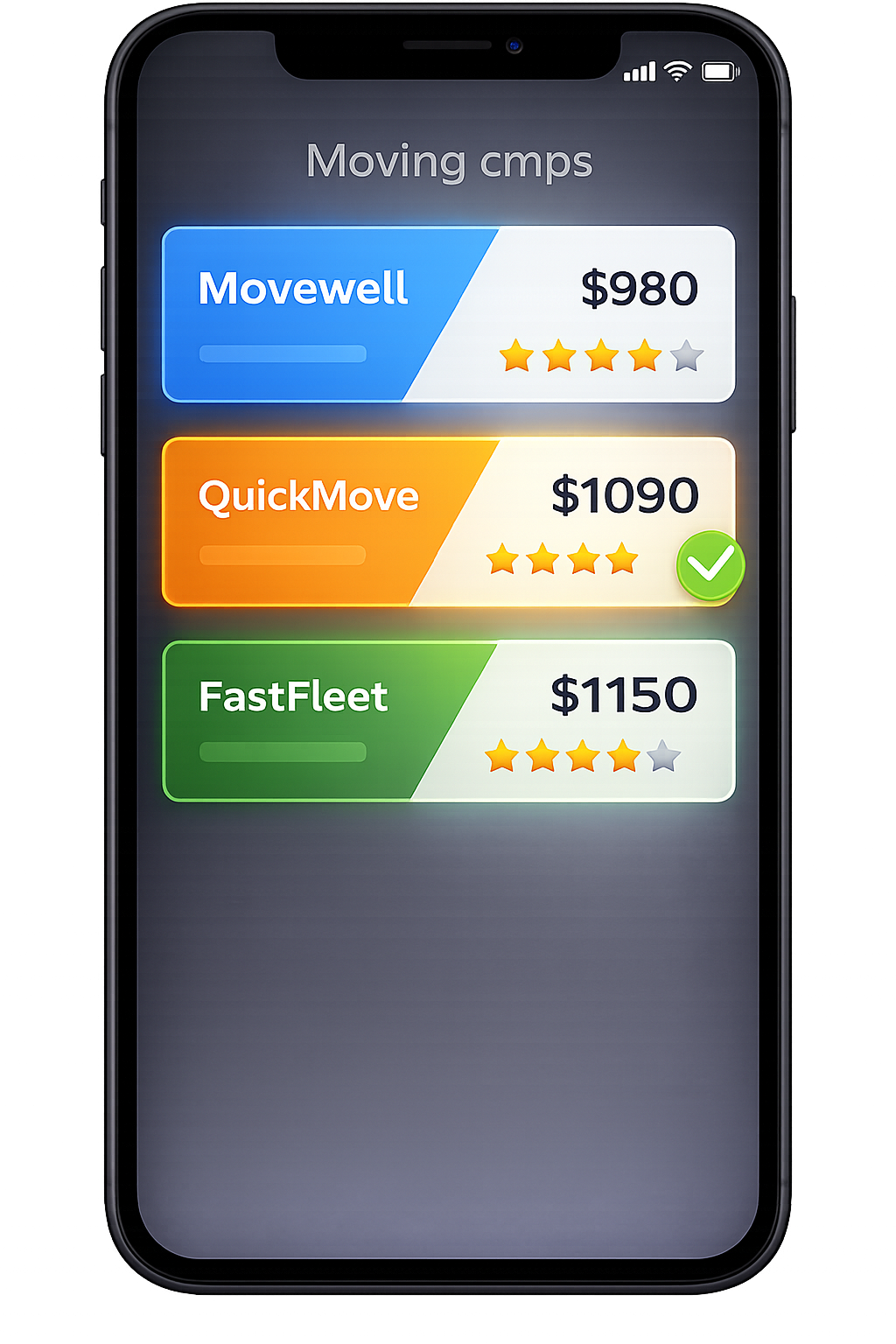
3. Compare Multiple Quotes
Compare verified mover quotes from the same scanned inventory.
Frequently Asked Questions
What is the AI home scan in MoveCost.ai, in simple terms?
The AI home scan is a guided way to use your phone camera instead of a long checklist. You open a secure page in your mobile browser, walk through each room, and let our computer vision models identify furniture and major items. From that walkthrough, MoveCost.ai builds a structured moving inventory—a list of what you’re moving and an estimate of how much space it will take in a truck. You can edit the list, then use it across calculators and quote tools without re‑entering everything by hand.
Do I need to install an app to use the scan?
No. The scan runs in your mobile browser. You tap the link from our site or tools (like the AI Moving Cost Calculator hub or this feature hub), grant camera access, and start walking through your home. Because it’s browser‑based, you don’t have to manage another app. You still get the benefits of AI item detection and a reusable inventory, but you can start and finish entirely from a link.
What exactly do movers see when I use MoveCost.ai?
When you decide to request quotes from movers through MoveCost.ai, they see: Your itemized inventory (for example, “3‑seat sofa”, “king bed + frame”, “10 large boxes”, “patio table + 4 chairs”) Your approximate volume and move complexity estimate Your route details (from and to locations, plus basic timing) Any access notes you’ve added (stairs, elevators, long walks, loading docks) They do not browse raw video footage inside MoveCost.ai. The scan is processed into structured data so everyone is working from one consistent, privacy‑respectful summary of your home.
How accurate are estimates built on the AI scan compared with in‑person visits?
In‑person visits can be very accurate, but they’re also time‑consuming and often require scheduling sales calls or walk‑throughs. The AI scan is designed to approximate that experience with less friction. When your scan covers all the areas you plan to move and you’ve edited the inventory to match reality, many users see that AI‑based estimates land in a similar range to what they’d get from an experienced estimator walking the home. The difference is that you can run the scan whenever it suits you, and reuse the resulting inventory across multiple tools and movers without repeating the same tour.
Can I use the same AI inventory for local, interstate, and city-specific calculators?
Yes. That’s how MoveCost.ai is designed. Once your inventory is built and approved, it becomes the common input for: The AI Moving Cost Calculator hub (overall baseline) Local tools such as Local Moving Cost Calculator Near Me or local comparison pages State and city tools like State to State Moving Cost Calculator Online and Moving Cost Calculator by State and City Home‑size and access calculators (3‑bedroom, 4‑bedroom cross‑country, stairs/elevator) Cheapest‑state and origin‑specific hubs (like Cheapest States to Move to From New York) City clusters (for example, Miami moving cost/quotes/estimate pages) You choose which calculators and quote flows can reference your inventory, but you don’t need to rebuild it for each one.
Is my scan private and secure?
Your scan is transmitted over an encrypted connection and processed to create a moving inventory and volume estimate. Within MoveCost.ai, the primary artifacts used for calculators and movers are: The structured item list Estimated volume/weight and move complexity The route and access details you provide Movers see those structured pieces—not the raw video. You control which tools and which movers can access your inventory. If your plans change, you can update or trim your inventory; future estimates and quotes will then be based on that updated version. For details beyond this high‑level summary, you would review MoveCost.ai’s published policies and terms on the main site.
What if I change my mind about what I’m taking after I scan?
That’s expected. People sell furniture, donate items, or decide to keep fewer boxes than they originally thought. In MoveCost.ai you can: 1. Edit your inventory directly—remove items you no longer plan to move, add new ones, or update quantities. 2. Re‑run calculators to see how your estimated cost changes. 3. Ask movers who have already quoted to refresh their estimates using the updated list. You don’t need to film your entire home again unless the layout or contents change significantly. Small edits are usually enough to keep your estimates aligned with reality.
How does this page help Google distinguish 'how it works' content from calculators and quote pages?
Internally, this URL is wired as the “How MoveCost.ai works / AI home scan & trust” feature hub. Calculators (for example, AI Moving Cost Calculator Online Free, Local Moving Cost Calculator Near Me, State to State Moving Cost Calculator Online, home-size tools) link here when they mention “AI home scan”, “no in‑person visit”, or “how the scan works”. Quote and comparison hubs (Instant Moving Quotes Without Phone Calls, Compare Moving Company Quotes Instantly Online, Miami/New York city pages) reference this hub when they explain what powers their estimate flows. This page focuses on mechanics, privacy, accuracy, and internal data flow; it does not try to be another calculator or city guide. That separation—plus consistent internal linking from core, already‑indexed tools—helps search engines recognize this as the informational feature hub for MoveCost.ai’s scanning and trust story, rather than treating it as a duplicate of quote or calculator templates.