
Scan Your Home Once. Use Your AI Moving Inventory Everywhere.
This page is MoveCost.ai’s home for ai-based home scanning for moving inventory. Walk through your rooms with your phone, let AI detect furniture and boxes, estimate moving volume, and reuse that same digital inventory across all our city pages, ZIP and address pages, and moving cost calculators.

AI-Based Home Scanning for Moving Inventory – Core AI Inventory Hub for MoveCost.ai
The Central Page for AI-Based Home Scanning for Moving Inventory
City, ZIP, address, and calculator pages all point back here when they say “powered by AI inventory.” MoveCost.ai has many pages that mention AI and inventory: city guides like Moving Cost in Atlanta, estimate pages like Moving Estimate in Los Angeles, ZIP and address pages for places like Waycross, GA 31501 and 315 Plant Ave Ste C, and national calculators. This URL is different. It is the feature hub for ai-based home scanning for moving inventory: • This page explains how the scan works and is where you actually start your AI walkthrough. • City, ZIP, and address pages link here when they say “scan your home once” or “AI inventory included.” • Calculators and comparison pages reuse the inventory you build here instead of asking you to list everything again. In other words: • Scan here → AI turns video into a structured, room‑by‑room inventory and moving volume estimate. • Then use that inventory on: • City pages (for example, Atlanta, Los Angeles, Miami) • ZIP and address pages (for example, Waycross, GA 31501 and 315 Plant Ave Ste C) • National and local calculators (local, state‑to‑state, stairs/elevator, home-size, student, cheapest‑state) • Quotes and comparison tools (no‑phone quotes, multi‑mover comparisons). Treat this as the canonical “AI home scan” page: when you see “AI inventory” mentioned elsewhere on MoveCost.ai, that page is referring back to the scan you start here.
ai-based home scanning for moving inventory—without the hassle
Replace guesswork and long questionnaires with a fast AI scan that sees what you’re moving and turns it into clear, comparable quotes across the entire site. MoveCost.ai looks at what’s actually in your rooms—so movers get an accurate picture of your move and you get realistic pricing, not rough guesses. Instead of answering “How many boxes?” three different times on three different pages, you scan once here and MoveCost carries that inventory everywhere it’s needed. AI inventory detection Volume-based estimates Quote and route comparison
From room scan to mover quotes in three simple steps
All you need is your phone and a few minutes to walk through your space.
How the AI Detects Furniture, Boxes, and Room Size for Better Estimates
Plain‑language detail so you know what’s happening between your camera and your cost range. This page exists to explain the feature behind all of MoveCost.ai’s calculators: ai-based home scanning for moving inventory. Here’s what actually happens when you tap “Start Scan.”
One AI Inventory, Many Pages: City, ZIP, Address, and Calculator Hubs
Build your inventory here, then click into local pages that already know what you’re moving. Once you finish ai-based home scanning for moving inventory on this page, you don’t have to start over anywhere else on MoveCost.ai. The same saved inventory can be reused on: • City cost and estimate pages that talk specifically about your origin or destination • ZIP and address pages that zoom all the way down to pockets like Waycross, GA 31501 or a single address like 315 Plant Ave Ste C • National calculators and comparison tools that care about your home size, access, and route instead of just a city name. City pages that reuse this scan ZIP & address pages that show hyper-local context Calculators & quotes that share one baseline
Moving cost transparency without the back-and-forth
Your AI inventory stays consistent, so you can compare numbers instead of explanations. MoveCost.ai is designed to help you feel prepared long before moving day, with clear estimates, cross-page consistency, and easy‑to‑read quote comparisons. You stay in control of your moving choices. This page gives you the tool to create an AI-driven inventory; other pages use that inventory to show cost ranges, route behavior, and mover offers. When you change something—like selling a sofa or adding a storage unit—you update it once here, and downstream tools update with you. Verified mover offers Clear estimate ranges
More detail, less effort
ai-based home scanning for moving inventory helps turn a quick walkthrough into the kind of detail movers usually ask dozens of questions to collect. Automatic room grouping Consistent information for every mover Better cost expectations
Quick checklist before you start scanning
A few small steps help our ai-based home scanning for moving inventory detect more items accurately. You don’t need to reorganize your home. Just make sure key items are visible as you walk through each room. The better the AI can see your stuff and your layout, the more accurate your downstream estimates and city/ZIP pages will be. Turn on lights or open curtains so items are clearly visible. Walk slowly and keep your phone steady as you scan, letting the camera see whole pieces of furniture and boxes. Include large furniture, visible boxes, and major items in each room, plus outdoor spaces and storage areas that will move with you. Scan from different angles if items are partially hidden behind other furniture. Add additional rooms (garage, basement, attic, balcony, storage unit) so your estimate reflects your full home. Review your detected items list and add notes where helpful—for example, 'heavy solid wood' or 'fragile glass'.
Use AI moving estimates to guide your budget and timing
MoveCost.ai helps you understand likely moving costs early, so you can plan with fewer surprises and reuse your work across the site. Your AI-generated estimate is a starting point for smarter decisions, not a single fixed price. Once your inventory lives here, you can: • Explore different move dates on local and state‑to‑state calculators and see how ranges shift. • Jump into city pages for places like Atlanta, Chicago, Miami, Los Angeles, or Waycross and see how they interpret your inventory in a local context. • Use route and cheapest‑state pages to understand where your move might make the most financial sense—all without rescanning. Because this page sits at the center of that experience, keeping your AI inventory up to date here keeps every other page’s numbers honest. AI-powered moving cost planning assistance
How It Works
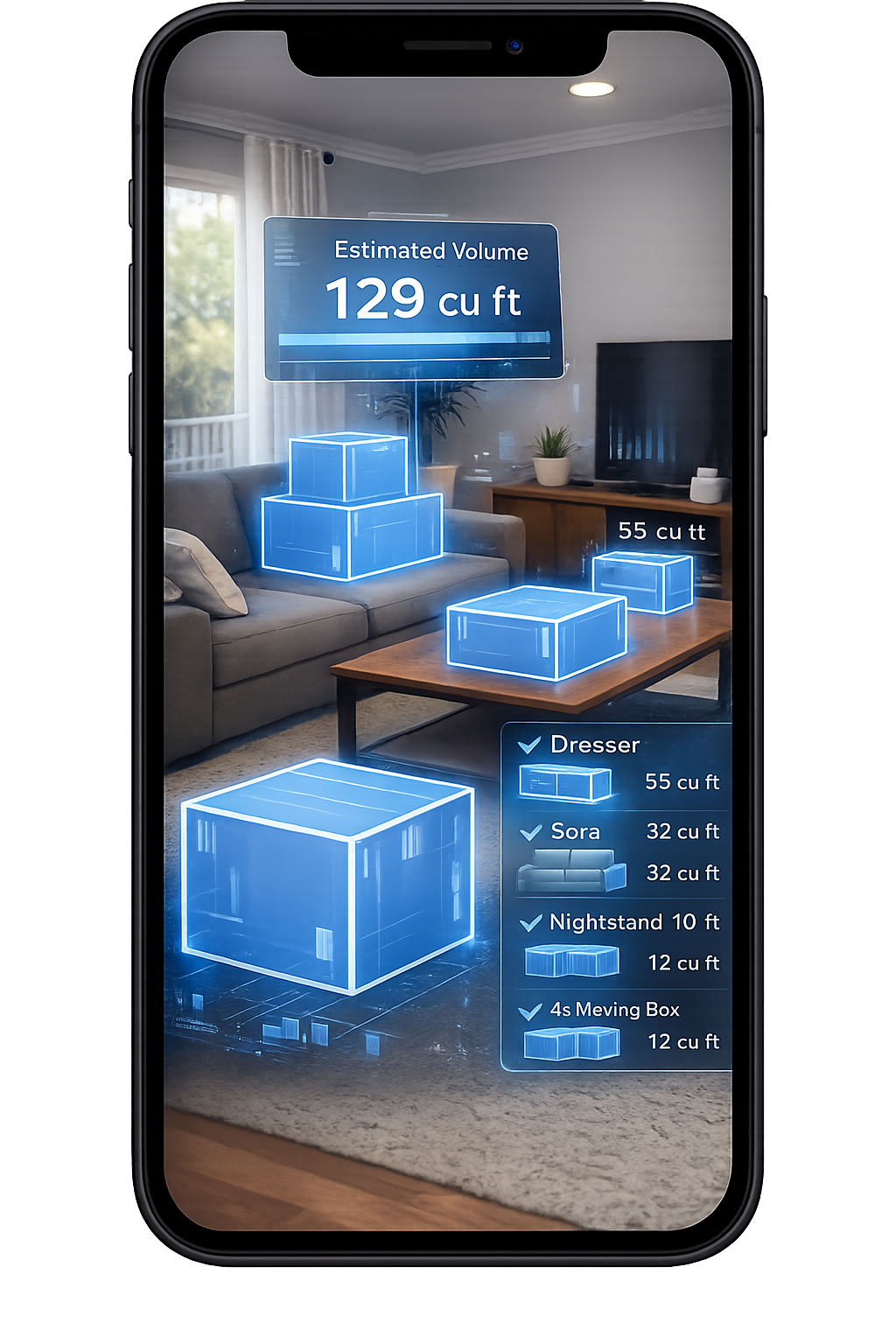
1. Scan Your Room With Your Phone
Walk around your space and scan your items in seconds.
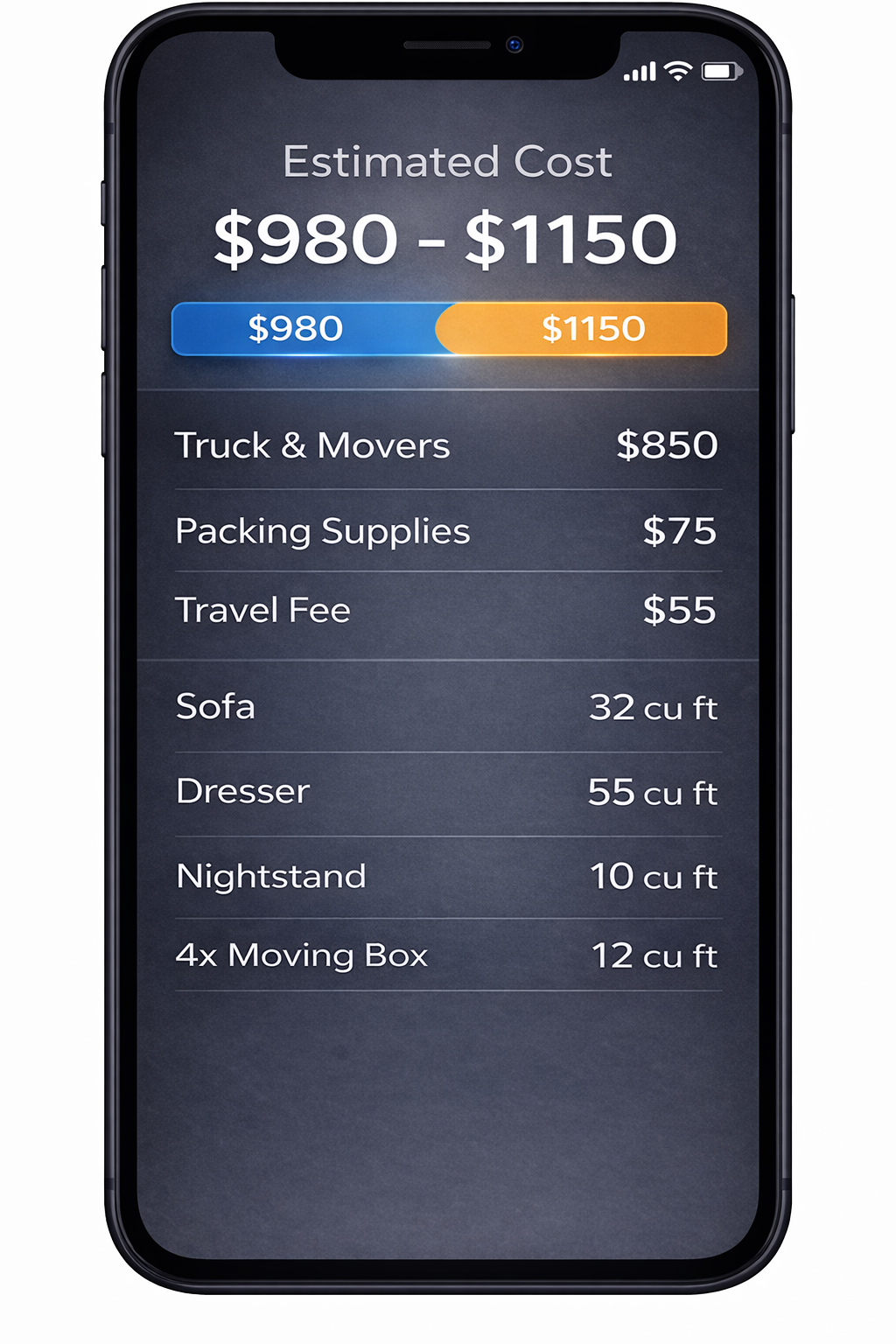
2. AI Detects Your Items
We identify your items and calculate volume for a clearer estimate.
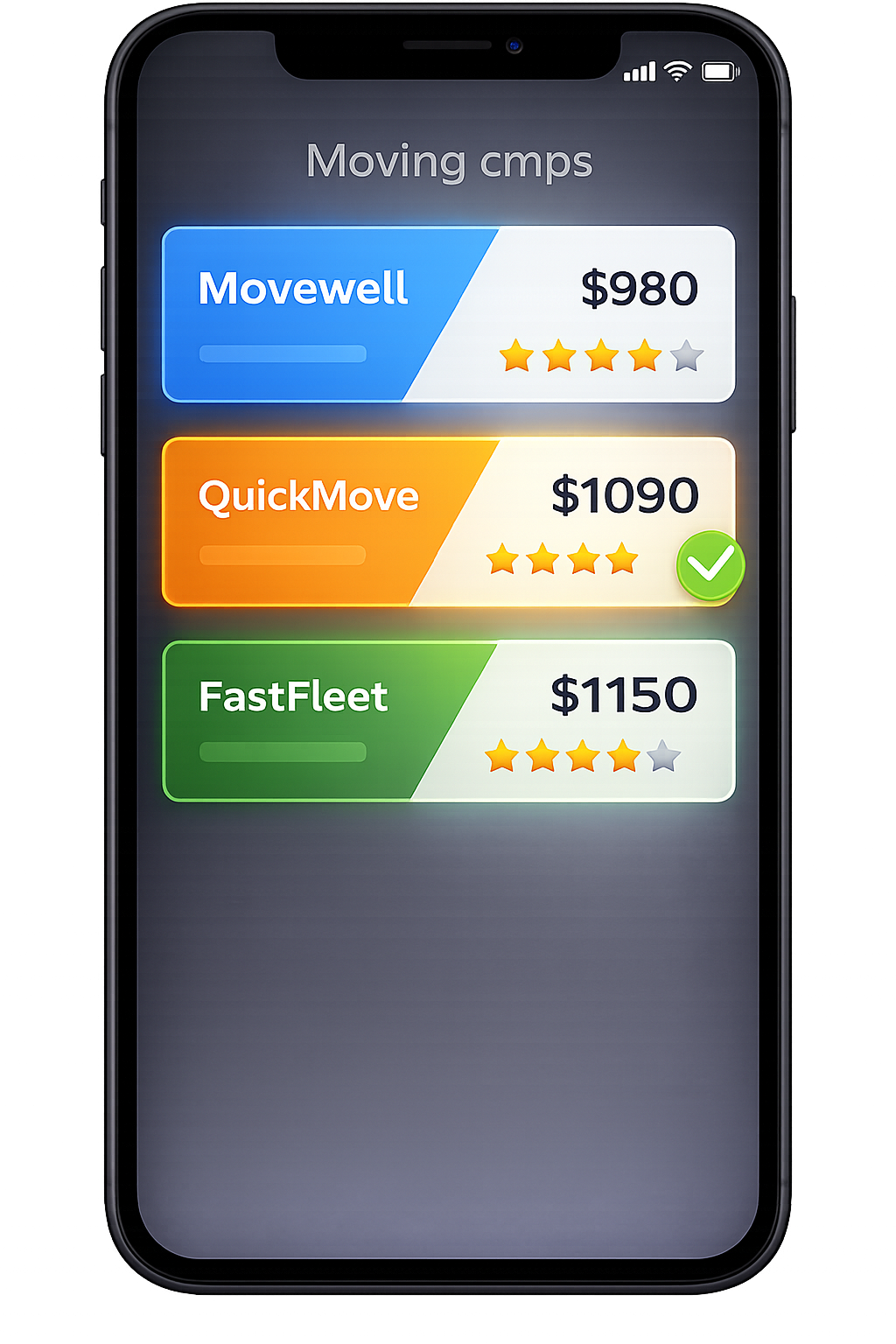
3. Compare Multiple Quotes
Compare verified mover quotes from the same scanned inventory.
Frequently Asked Questions
What is ai-based home scanning for moving inventory and how is this page different from other MoveCost.ai tools?
ai-based home scanning for moving inventory uses your phone camera and computer vision to identify common household items in each room, approximate box counts, and estimate how much space your belongings will take on a truck. MoveCost.ai turns those detections into an itemized moving inventory and an estimate of moving volume. This page is the feature hub for that scan. Other pages—like city guides (for example, Moving Cost in Atlanta), ZIP/ address pages (for example, Waycross, GA 31501 or 315 Plant Ave Ste C), and calculators (local near‑me, state‑to‑state, stairs/elevator, 3‑bedroom, student, cheapest‑state)—reuse the inventory you create here. They explain cost for a location or route; this page explains and hosts the scan that powers them.
How does one AI inventory scan get reused on city, ZIP, and address pages like Waycross 31501 and 315 Plant Ave Ste C?
When you finish your scan here, MoveCost.ai saves a structured list of items and an estimated volume. That inventory is linked to your account and can be referenced by any compatible page. For example, a ZIP‑level page for Waycross, GA 31501 or an address‑level page for 315 Plant Ave Ste C can: Pull in your existing inventory to show how a move of your size typically behaves to or from that ZIP or address. Add local context—like common truck sizes, access patterns, or neighborhood traffic bands—without asking you to re-enter your belongings. City and route pages do the same. They focus on location‑specific patterns; this page provides the accurate description of what you’re actually moving.
Do I need to rescan my home every time I open a new MoveCost.ai page?
No. The idea of this page is that you scan once and reuse that AI-built inventory everywhere. You may want to update your inventory if: You’ve sold, donated, or added major items. You’ve decided to include or exclude a garage, storage unit, or balcony. You’re planning a second move or a staged move (for example, some items to storage and others to a new home). When you make those changes here, calculators, city pages, and quote tools that rely on your inventory will reflect the new reality the next time you open them.
Is my scan video shared directly with movers or only the inventory?
Movers and other tools on MoveCost.ai work with your structured inventory, not the raw video. Your scan is processed into: A list of items by room Estimated volume and (where applicable) approximate weight categories Access notes you provide (stairs, elevators, long carries, parking) That’s what calculators and movers see. The raw video is handled by MoveCost.ai’s systems for detection and not passed around as footage.
Which MoveCost.ai pages should I open after I complete my AI scan here?
Where you go after scanning depends on the question you want to answer next: "What should my move cost in general?" → Open AI Moving Cost Calculator Online Free. "What does this look like in a specific city?" → Open city hubs like Moving Cost Atlanta, Moving Quotes in Miami, or Moving Estimate in Los Angeles. "How does my route behave between specific states or cities?" → Open State to State Moving Cost Calculator Online and Moving Cost Calculator by State and City. "How do stairs and elevators affect my price?" → Open Moving Cost Calculator Including Stairs and Elevator. "I want to compare real mover quotes or keep things phone‑free." → Open Instant Moving Quotes Without Phone Calls or Compare Moving Company Quotes Instantly Online. All of these tools reuse the inventory you built here, so you can move between them without re‑entering your belongings.